SFTP
MLADU supports SFTP. Our service can safely, securely, and seamlessly integrate with SFTP servers for data transfers. SFTP stands for SSH File Transfer Protocol (or Secure File Transfer Protocol). It is a secure network protocol used to transfer files between systems over a secure connection.
- The Differences Between FTPS and SFTP?
- What is SFTP?
- SFTP Data Transfer Requirements
- Getting Started with MLADU
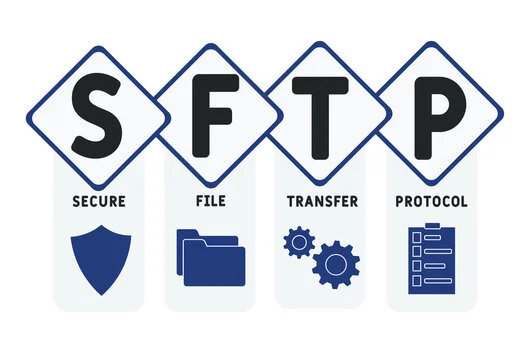
What is SFTP?
Unlike traditional FTP (File Transfer Protocol), which transmits data in plain text, SFTP encrypts both commands and data, ensuring that sensitive information such as passwords and file contents are protected during transit. It runs over the SSH (Secure Shell) protocol, which provides strong authentication and secure communication.
SFTP emerged in 1995 as a secure alternative to insecure remote login protocols like Telnet and rlogin. SFTP, a protocol for secure file transfer, was subsequently developed as an extension of SSH version 2.0 in 1997. Initially, it was a proprietary solution by SSH Communications Security. The Internet Engineering Task Force (IETF) later adopted and standardized the protocol, with the first draft published in 2000.
SFTP is secure because it encrypts everything, authenticates both the client and server, checks the integrity of the data, and avoids exposing open ports that could be exploited. SFTP is secure because it builds entirely on top of SSH (Secure Shell), which is a strong cryptographic protocol designed to protect data communications. Here's exactly how SFTP ensures security:
- Encryption: All data, including login credentials (like usernames and passwords) and the files themselves, are encrypted before being sent across the network. This protects against eavesdropping. Attackers cannot simply "listen in" and steal information.
- Authentication: SFTP typically uses SSH authentication, which can involve:
- Password authentication (secured over an encrypted channel)
- Public key authentication (where a private key on the client matches a public key on the server)
- Multifactor authentication (e.g., password + key or other methods) This ensures that only authorized users can access the server.
- Data Integrity: SFTP includes checks to verify that the data hasn't been tampered with during transit. If someone tries to alter a file as it's being transferred, the protocol can detect this and reject the corrupted data.
- Protection against Replay Attacks: SFTP operates through SSH, it benefits from SSH's mechanisms that prevent replay attacks in which an attacker captures a transmission and resends it later to gain access.
- Firewall Friendly: SFTP typically uses only one port (usually TCP port 22, the same as SSH), unlike FTP which uses multiple ports. This design reduces the attack surface and makes it easier to configure secure firewalls.
SFTP Data Transfer Requirements
To successfully establish a secure and seamless SFTP connection with MLADU, the following items will need to be in place:
First, you'll need an SFTP server that can accept secure connections over the public internet, protected by SSH protocols. This server should be accessible via a publicly resolvable URL or hostname, allowing our systems to locate and communicate with it efficiently. Additionally, please ensure that the necessary network ports—typically TCP port 22—are open and accessible for the connection.
We'll also require a dedicated username and password for MLADU to authenticate with your SFTP server. This account should have the appropriate permissions to read and/or deposit files within the designated directories. To support a smooth transfer process, please review any firewall or proxy settings to ensure that traffic from MLADU is permitted.
Finally, we kindly ask that you provide at least one technical contact. This will allow our MLADU concierge specialists to reach out directly should any questions arise or if assistance is needed to resolve an issue promptly. With these items in place, our team can deliver a highly secure, reliable, and fully managed data transfer experience tailored to your needs.
Topics
ON THIS PAGE
ASK A QUESTION
Can't find what you're looking for? Our team is here to help.


Try MLADU Free
Experience the power of AI powered data transfers.

No credit card required